Share your live position with your loved ones and friends
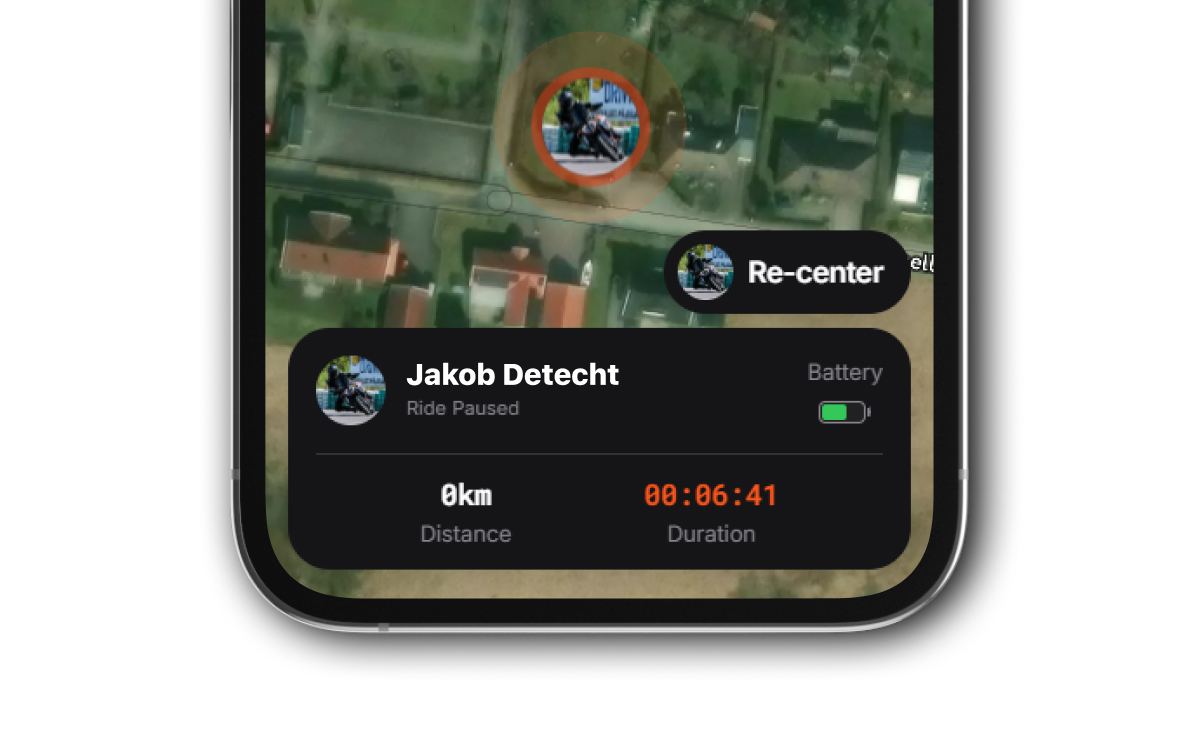
Safety Tracking is a Premium feature that lets you share your ride in real-time. While its primary goal is to give your loved ones peace of mind, it’s also a great way to let friends virtually join the adventure and follow your progress live.
How it Works
Safety Tracking uses a persistent link, meaning you have one unique URL that belongs to you. You can share this single link once with your family or riding buddies, and they can use it to follow all your future rides whenever you have tracking enabled.
Setting Up
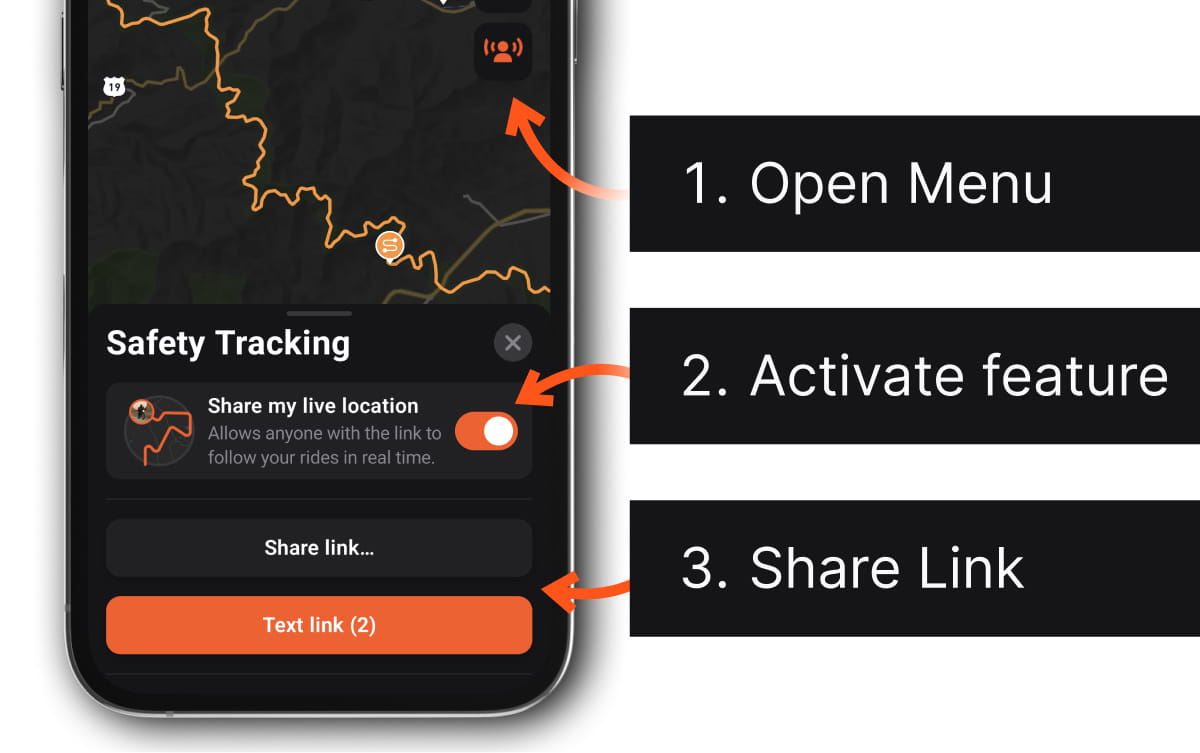
- Open the Menu: Tap the Safety Tracking button on the map to open the tracking dashboard.
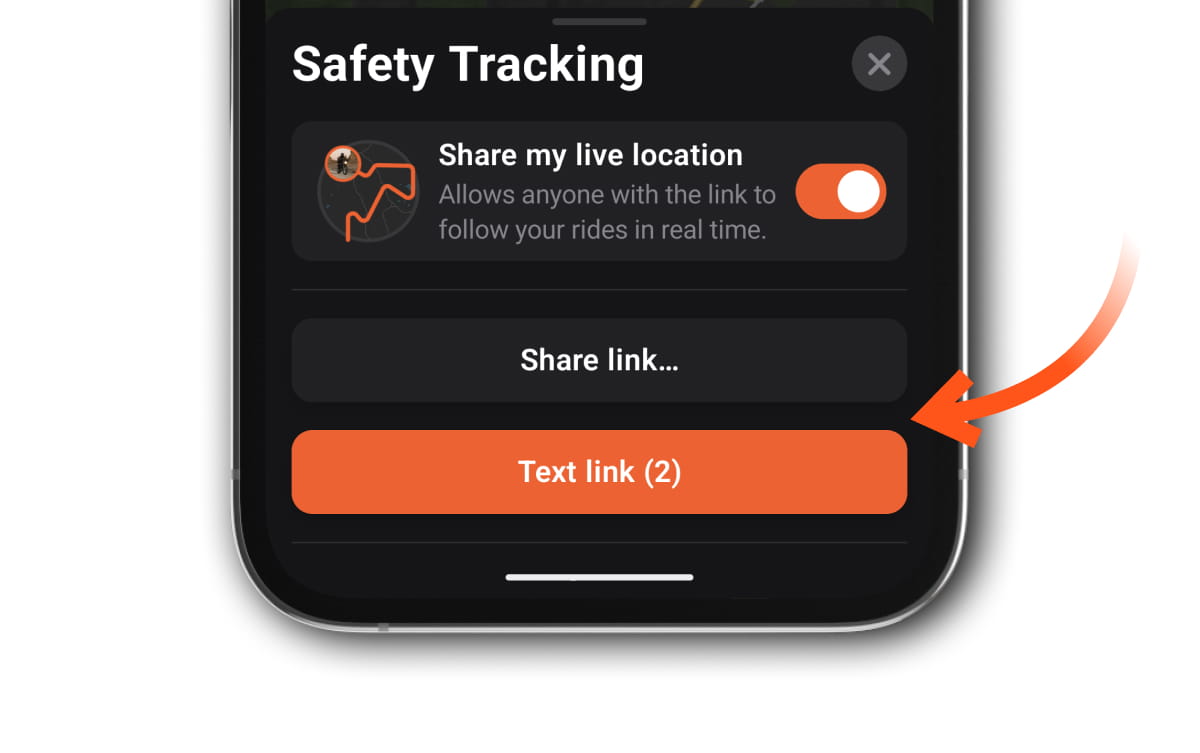
- Go Live: Toggle on "Share my live location".
- Note: Turning this off immediately stops real-time position sharing for everyone watching.
- Select Audience:
- Emergency Contacts: Select people from your Detecht Emergency Contacts to add as recipients with the Text Link shortcut.
- Detecht Friends: Toggle which of your in-app friends can see your live location and receive alerts if you are in an accident.
Starting a Ride
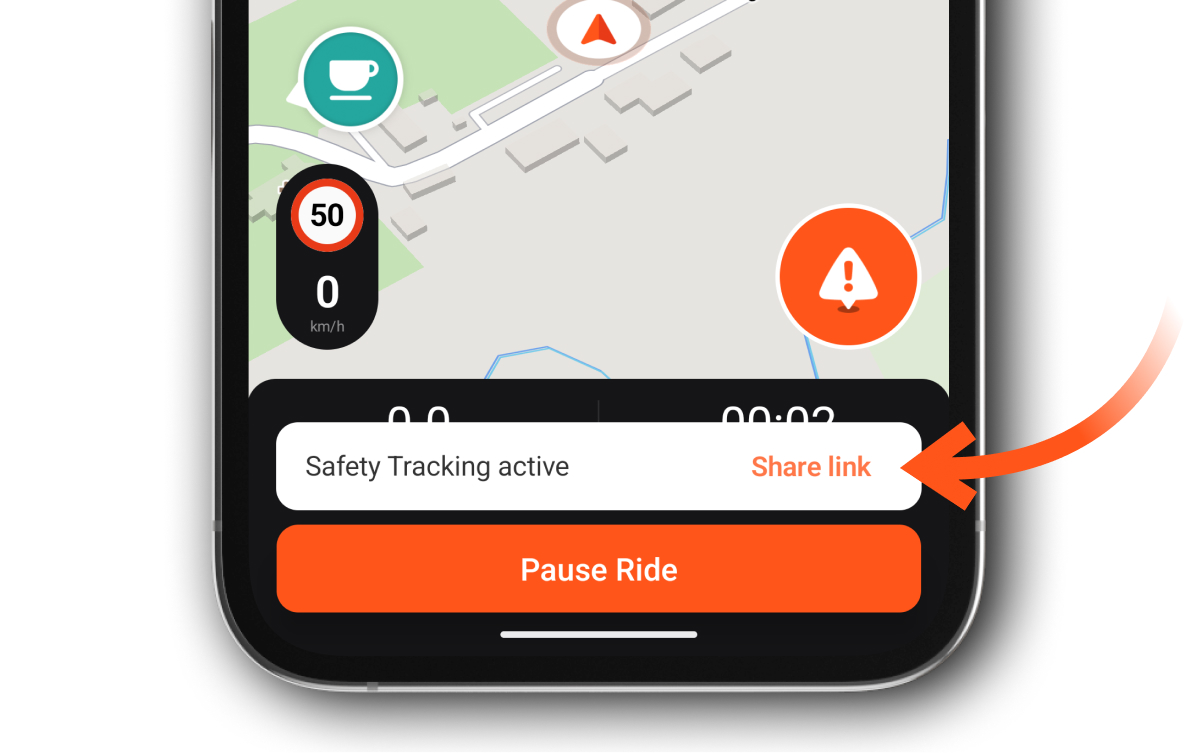
When you start a ride (Navigation or Tracking) with Safety Tracking enabled, you will see a confirmation snackbar at the bottom of the screen: “Safety Tracking active”.
- Quick Access: Tap the Share Link button on this snackbar to instantly open the Safety Tracking sheet. From there, you can easily send your link via text or other apps before you head out.
Sharing Options
From the Safety Tracking sheet, you can share your link using:
- Share link...: Opens your phone’s standard share menu (WhatsApp, Messenger, etc.).
- Text link: Automatically drafts an SMS to your selected Emergency Contacts containing your tracking link.
Note: Once you've shared your link it stays active until you manually reset it, i.e., you don't need to share the link again with every ride.
Resetting Your Link
Because your link is persistent, anyone who has it can see your location whenever Safety Tracking is turned on. If you want to "wipe the slate clean":
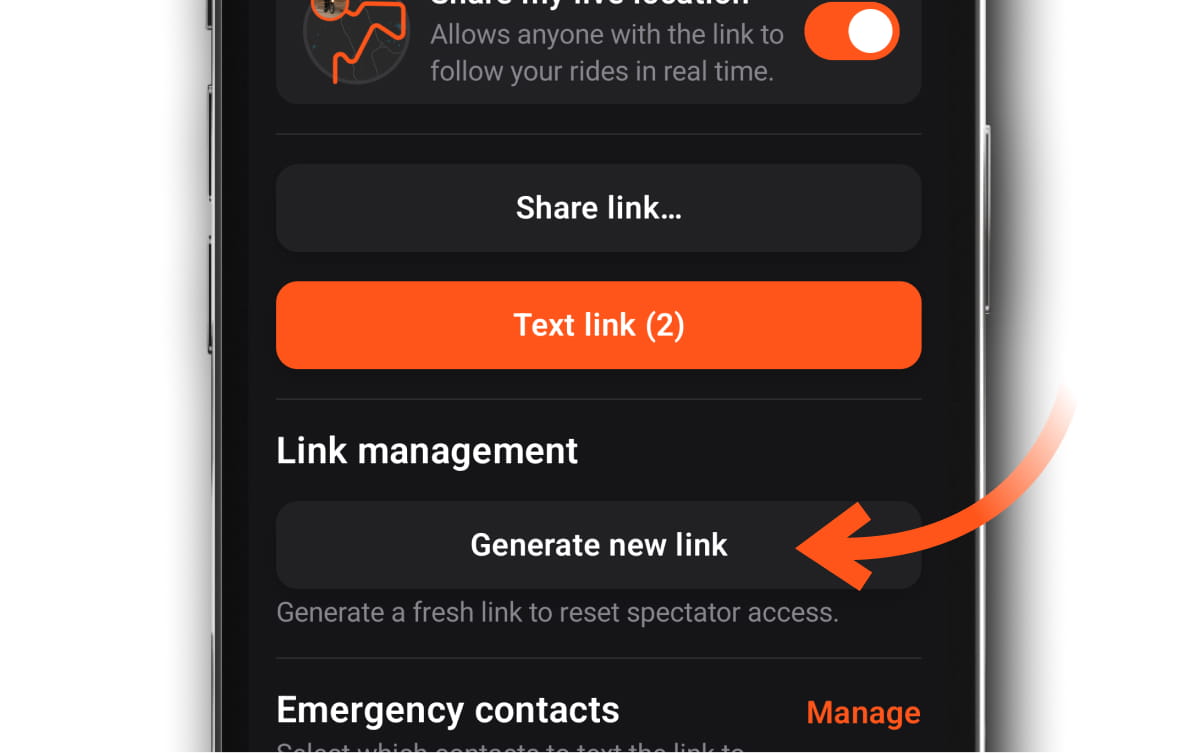
- Expand the Safety Tracking menu.
- Tap Generate new link.
Important: This immediately invalidates your old link. You must share the new link with anyone you want to bring along on your next ride.