Keep Detecht running in the background on Android
In Settings, set the battery usage for Detecht to Unrestricted, or turn off battery optimization for it. The steps depend on your Android version.
When battery settings restrict Detecht, your ride may not be tracked. Follow the steps for your phone's Android version.
These steps are for Google Pixel phones and other phones with Android's own settings, such as Motorola, Nokia, Sony, Lenovo and Asus. Samsung, Huawei, OnePlus, Xiaomi and OPPO phones have their own settings: find yours at the end of this page.
Android 14 and later
-
Open Settings and tap Apps, then App battery usage.
-
In the drop-down menu at the top, choose All apps.
-
Find Detecht in the list and tap it.
-
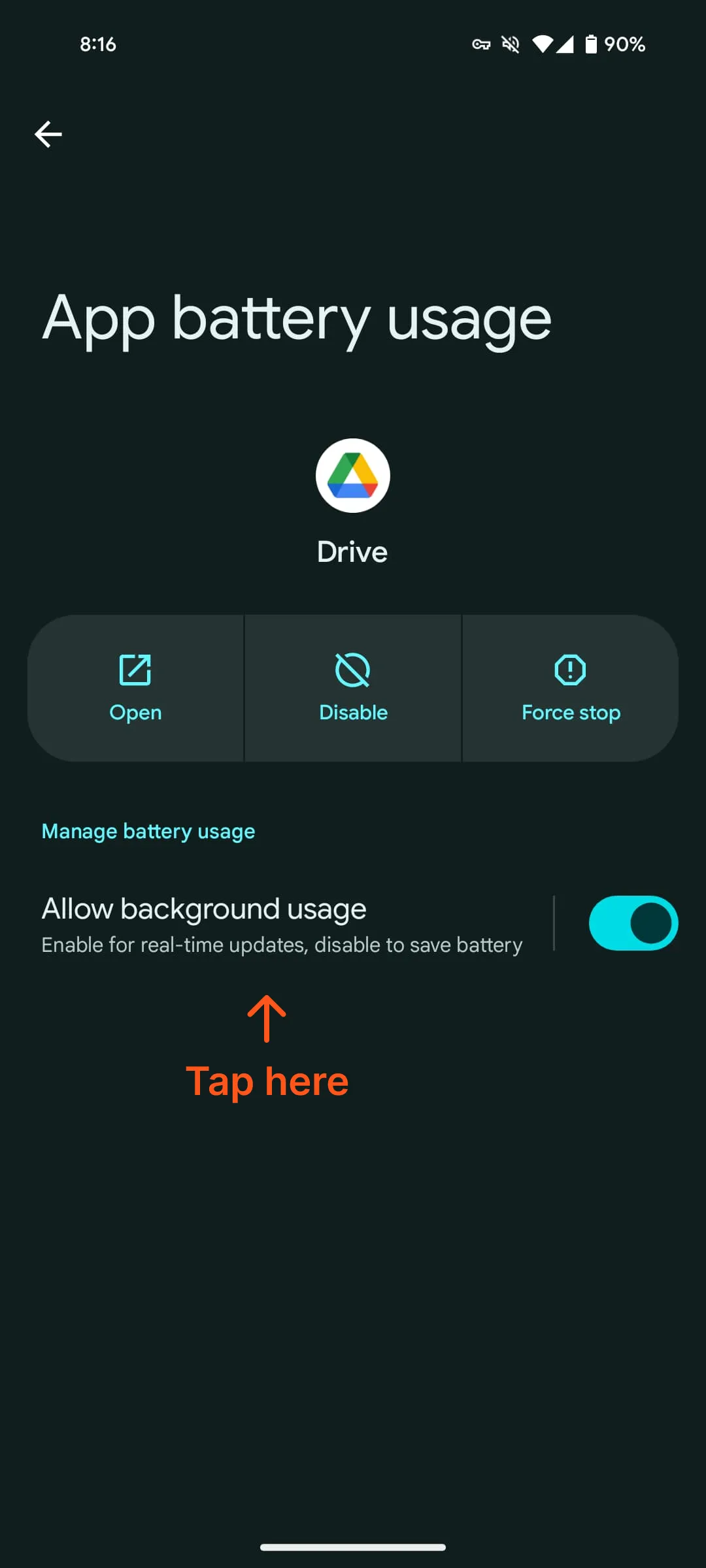
Make sure the Allow background usage switch is on.
-
Tap the words Allow background usage, not the switch, to open more options. This step is easy to miss.
-
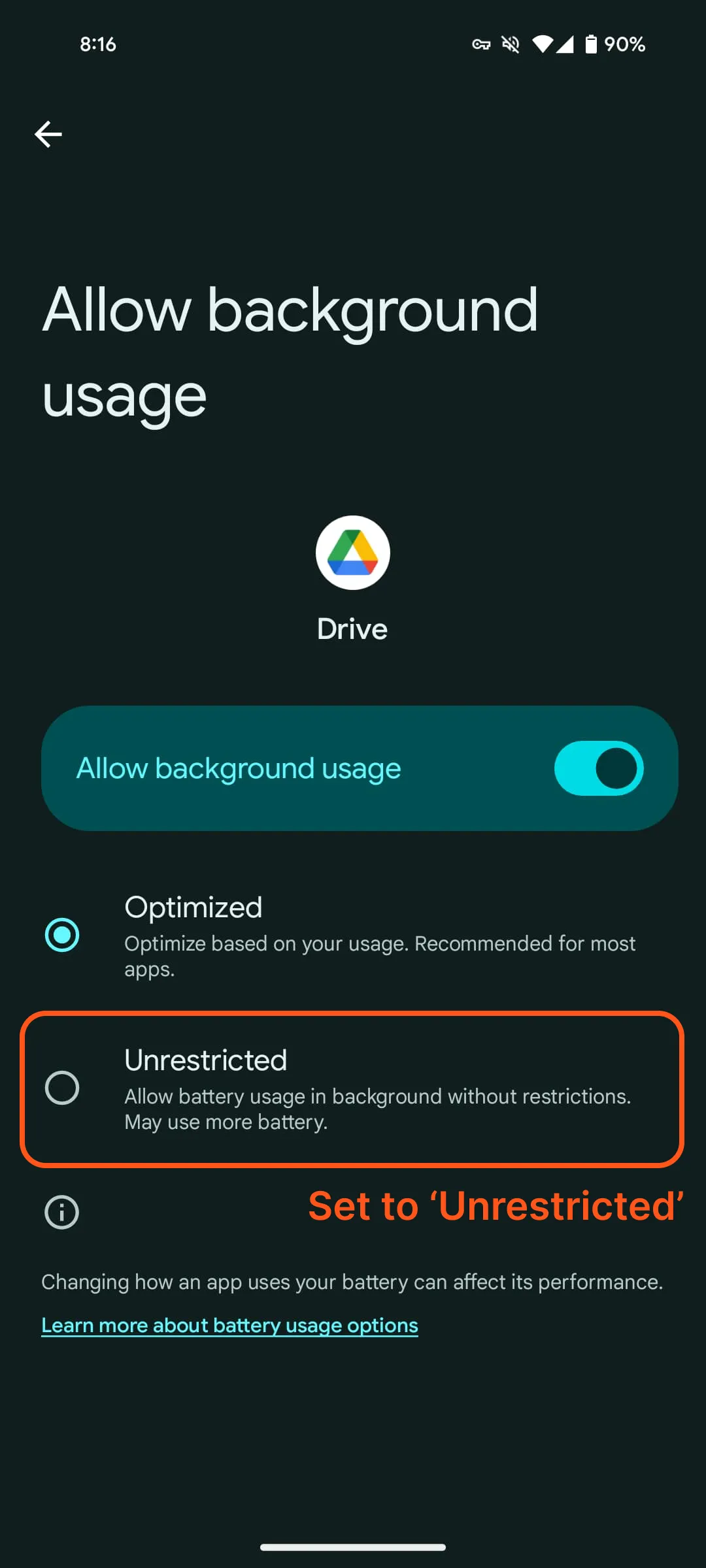
Choose Unrestricted.
Android 13
- Open Settings and tap Apps, then All apps.
- Tap Detecht, then App battery usage.
- Choose Unrestricted.
Android 12
- Open Settings and tap Apps, then Detecht.
- Set the battery optimization mode to Unrestricted.
Android 11
Three settings can stop Detecht in the background. Check all three.
Turn off battery optimization
- Open Settings and tap Battery.
- Tap the three-dot menu icon, then Battery optimization.
- Tap Detecht and choose Not optimized.
Turn off Adaptive battery
- Open Settings and tap Battery, then Adaptive battery.
- Turn off Adaptive battery.
Turn off background restriction
- Open Settings and tap Battery.
- Tap the three-dot menu icon, then Battery usage.
- Below Battery usage since full charge, tap More to see every app used since your last charge.
- Tap Show full device usage.
- Find Detecht and tap it.
- Make sure Background restriction is off.
Android 10
- Open Settings and tap Apps & notifications, then Advanced.
- Tap Special app access, then Battery optimization.
- In the drop-down menu, choose All apps.
- Find Detecht and tap it.
- Choose Don't optimize, then tap Done.
Android 9
- Open Settings and tap Battery, then Adaptive Battery.
- Tap Restricted apps and make sure Detecht isn't in the list.
Samsung, Huawei, OnePlus, Xiaomi and OPPO phones
These phones have their own battery settings. Follow the steps for your brand:
- Keep Detecht running on a Samsung phone
- Keep Detecht running on a Huawei phone
- Keep Detecht running on a OnePlus phone
- Keep Detecht running on a Xiaomi phone
- Keep Detecht running on an OPPO phone
If rides still aren't tracked
See Fix a ride that isn't tracked or shows the wrong position.
Updated