Share a route
Share a route you rode or planned so your friends can ride it too, or just show them where you've been. You can also share other riders' routes you find in the app.
Find the route
- Your tracked rides: on your Profile page, in the tracked rides tab, the checkered flag icon.
- Your planned routes: on your Profile page, in the planned routes tab, the route icon.
- Other riders' routes: tap Routes at the bottom of the screen and browse Discover.
Share it
-
Open the route. In a list of routes, you can also tap the Share button on the route's card.
-
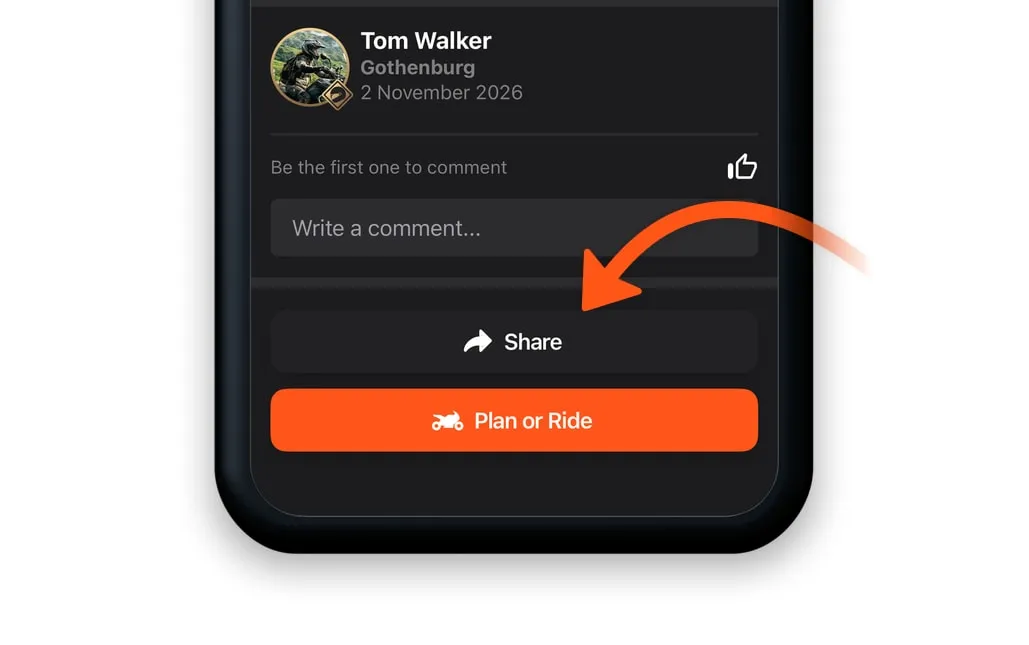
Tap Share at the bottom of the route.
-
Choose how to share it:
- Chat: send it to a friend in Detecht.
- Copy (iPhone) or Copy link (Android): copy the link, to paste wherever you want.
- Share (iPhone) or More (Android): send the link with another app on your phone. On Android, SMS sends it as a text message.
The people you share it with get a link to the route.
Updated